The overview is now a board you can arrange yourself
Platform ·
Account blocks and digests from the market sections can be reordered, collapsed and removed, and the layout is saved to your account, the same on every device.
The account overview is now a board of blocks. Besides the account blocks — balance history, trading statistics, recent operations, requests and the balance change — it carries digests from the market sections: TradFi top gainers and losers, momentum candidates with funding, liquidations over 1, 4, 12 and 24 hours, upcoming macro releases, the week's earnings with the expected move, and the latest Daily Feed entries.
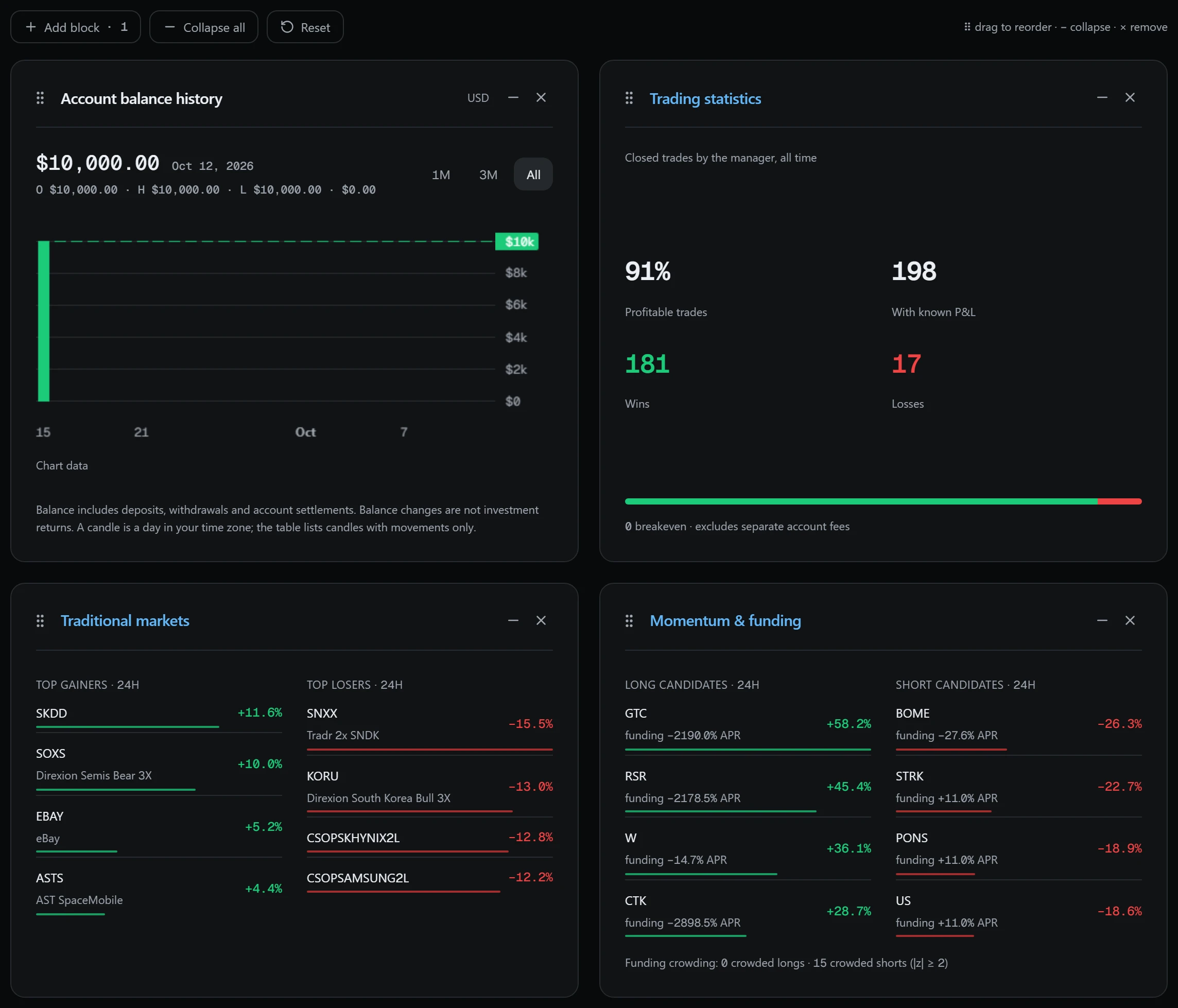
The market blocks are condensed versions of the full sections on the same data. TradFi shows four top gainers and four top losers over 24 hours. Momentum & funding shows four long and four short candidates for the day and the number of coins with crowded funding, a rate at least two standard deviations from the coin's own history. Liquidations shows totals for 1, 4, 12 and 24 hours split into longs and shorts, plus the largest liquidation; data comes from the public streams of Binance, Bybit, OKX and Gate.
The Macro calendar lists the next four US releases and the two most recent ones, Earnings lists the next five reports with the expected price move, and Daily Feed shows six fresh entries. An open board refreshes the market blocks on its own: liquidations every 30 seconds, momentum and TradFi every minute, earnings every five minutes. The macro calendar and Daily Feed are read when the page loads. This is a reference digest, not investment advice; trading markets carries a risk of losing money.
The account blocks are built from your own account. Account balance history shows balance candles with 30-day, 90-day and all-time ranges. Recent operations lists the last five, and Requests & support covers deposits, withdrawals and tickets. Balance change this month gives the opening and closing balance with the movements between them, as in the statement. It is a change in balance, not a return: a deposit raises the balance without earning anything. Trading statistics describes the manager's closed trades and does not guarantee future results.
Drag a block by its handle with a mouse or a finger, or move it with the arrow keys. A block you don't need can be collapsed or removed, and brought back with Add block or from the Board blocks panel at the bottom of the page; Reset restores the original layout. Collapsed and removed blocks don't load data, so a board of only what you use opens faster.
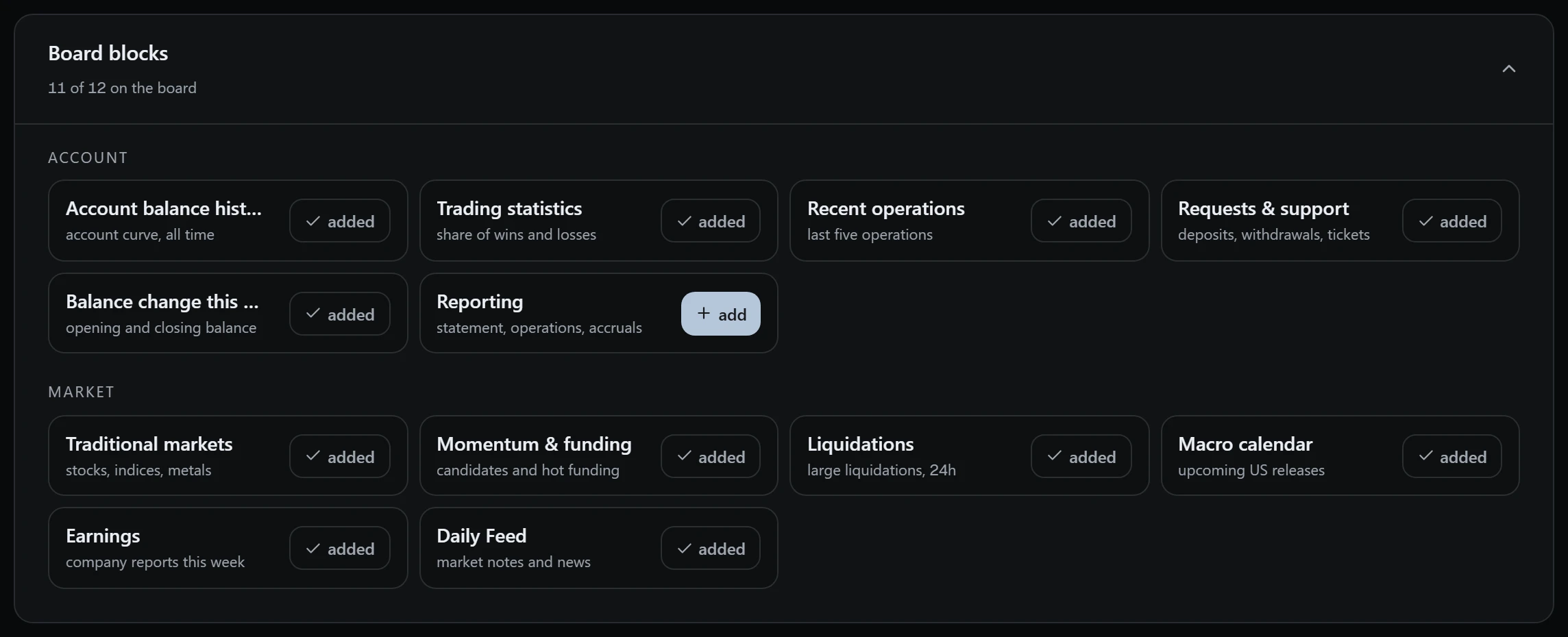
The layout is stored in your account, not in the browser: a board you arrange on your computer looks the same on your phone. Blocks added later will appear at the end of the board.
Layout changes are saved to your account after a short pause following your last action, so a series of drags does not send dozens of requests. Reset deletes the saved layout, and the board is built from the defaults again, including blocks added later. When you need detail, a block's title links to the section with the full data.
The market blocks require full access to the dashboard. Without activation the board shows only the account blocks, and only if the account has operations. The Reporting block with the statement, operations and accruals is removed from a new board by default; add it back from the Board blocks panel. The Collapse all button folds every block in one action.