A better dashboard on your phone: all pages checked
Platform ·
Every dashboard page has been checked at phone width: nothing spills off the screen, charts are rearranged for narrow screens, and hints say tap instead of hover.
We went through every dashboard page at 390 pixels wide, a typical smartphone, and fixed everything that spilled off the screen or made you scroll sideways. The crowded funding cards in Momentum no longer stretch the column, the surprise map in Earnings fits the screen width, and the balance change waterfall in the statement now shows on phones too.
The Crowded longs and Crowded shorts cards in Momentum & funding show coins whose funding deviates from that coin's own norm by 2 sigma or more. This is a read of the market, not a signal: trading such contracts carries a risk of losing money, and this is not investment advice.
On a phone the Statement & breakdown section shows a waterfall of the balance change: the opening balance, then the movements by category as bars, and a final bar for the change over the period. A category with movement opens the transactions for the same period, so the list matches the sum. The payout forecast is not part of the waterfall.
Below 768 pixels the side menu is hidden and a menu button appears in the top bar: it opens a slide-out panel up to 300 pixels or 85% of the screen wide. Content margins are at least 16 pixels, allowing for screen cut-outs, and the metric cards run in two columns, or in one on the narrowest screens, up to 419 pixels.
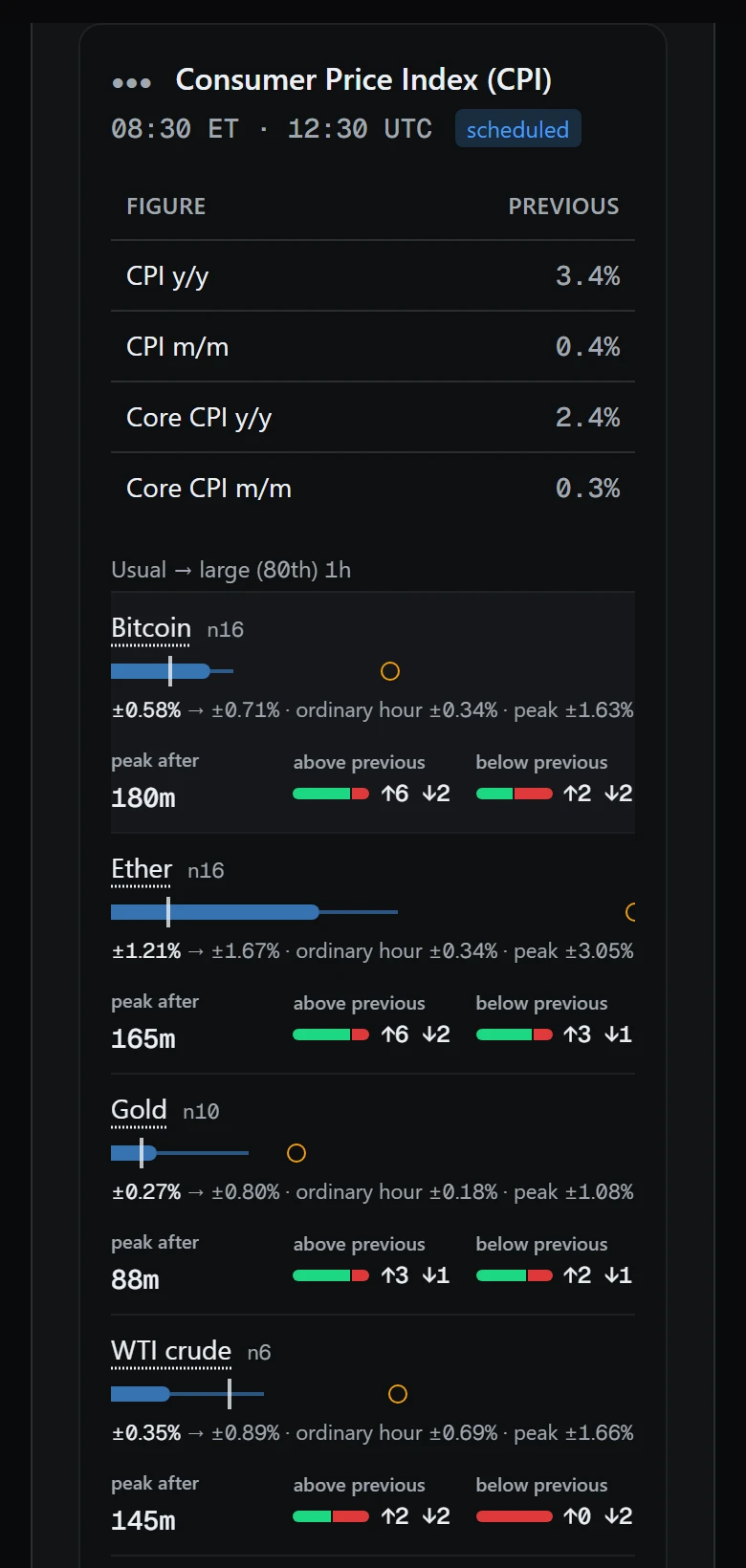
Where a chart lacked room, it has been rearranged. On a phone, a release in the economic calendar stacks up: instrument, a full-width chart and labelled values. The champions axis in Strategies keeps only its end labels, and the caption under the expected move in Earnings sits on its own line instead of over the end values.
On a phone the Champions side by side block shows the result axis and the total, while the drawdown and folds columns are hidden: they appear from 640 pixels wide. The same information stays on every strategy card: drawdown as a figure, folds as marks and as a count. Axis labels are cut to the end ones so the middle ones do not run together.
Not everything fits one column. Wide tables, such as the reaction summary in the US economy calendar and the list of past releases, stay wider than the screen and scroll inside their own card rather than pushing the whole page sideways. The reaction summary is at least 620 pixels wide, the release list at least 800.
Chart hints on a touch screen now say tap a dot instead of hover: on a phone there is nothing to hover with.
The hint tap a dot instead of hover is chosen by input device, not by window width: if the device cannot hover, the touch text is shown. The swap is done by one shared hint component, so it is the same on every chart that uses it, while the same chart gives a different hint on a phone and on a computer with a mouse.
Layouts are checked against a list of twenty real window widths, from 320 to 1920 pixels: from the narrowest phone still in use to a Full HD monitor. The list includes the points where the layout changes: 640, 768, 1024, 1280 and 1536 pixels. Between the extremes lie the places where layouts break most often: the border of tablet and desktop layouts and the switch from one column to several.