TradFi: opens faster and shows moves more clearly
Platform ·
Top gainers and losers with move bars, sector bars ranked by movement, instant loading of the latest snapshot and a table that fits laptop screens.
In the TradFi monitor every top gainer and loser now has a move bar on a scale shared across the interval, so rises and falls can be compared by eye. Above the sector blocks are bars of each sector's average move over the chosen interval, in the same order as the blocks; clicking a bar takes you to that sector.
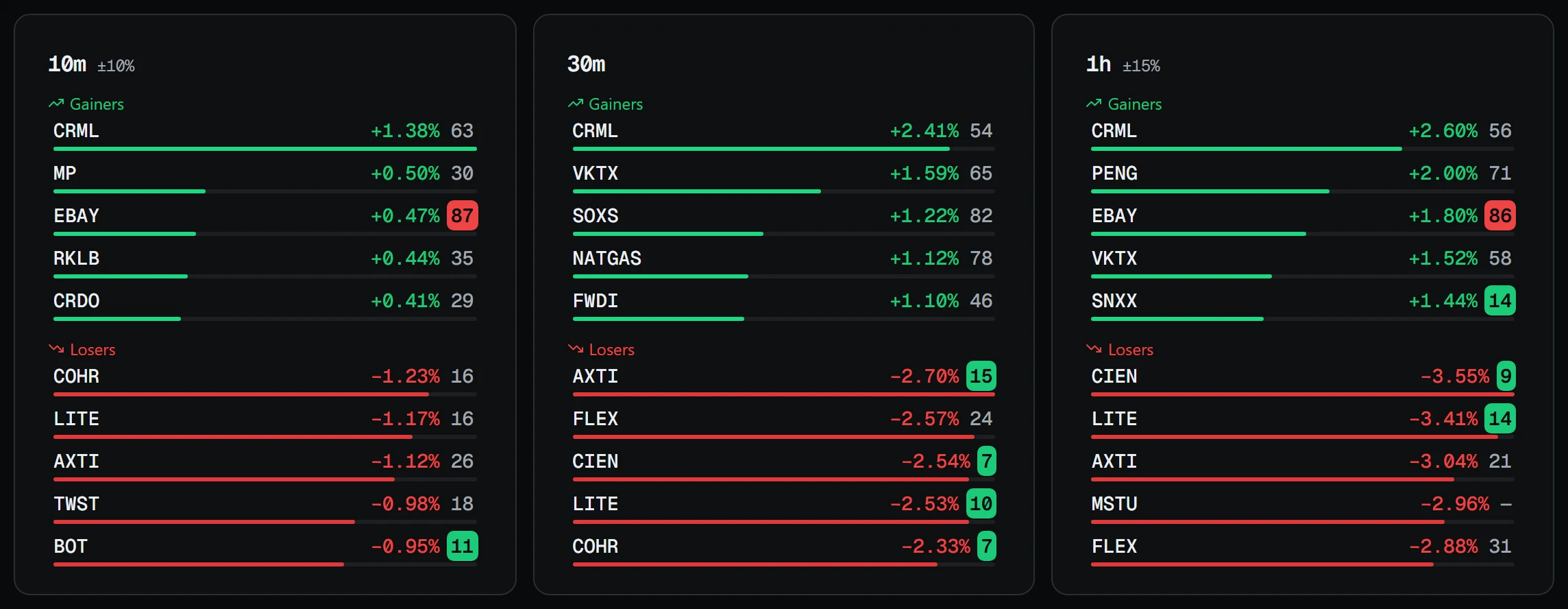
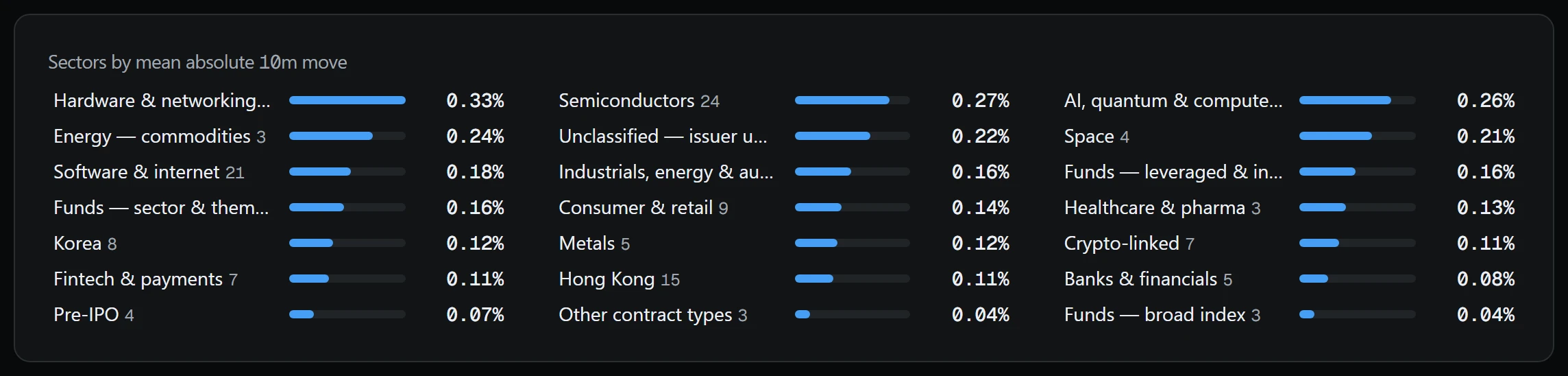
The TradFi section, in the Market group of the dashboard, shows every non-crypto perpetual contract on Binance USDⓈ-M: commodities, equities, funds and pre-IPO. What counts as a non-crypto contract is decided by the exchange itself, which marks such contracts with its own type. The section is read-only, and prices and moves come from the exchange's public interface without a key.
Leaders are calculated over six intervals: 10 minutes, 30 minutes, an hour, 8 hours, a day and 7 days, five in each list. The gainers list holds only what rose and the losers list only what fell, so in an all-red market the gainers list is empty rather than padded with the least-fallen. Next to the move sits RSI with a 14 period, calculated for the same interval, and a tick on the move bar marks the interval's highlight threshold, where one is set.
Contracts are grouped into sectors: metals, energy, fintech, semiconductors, software and internet, funds and others. The sector is assigned by hand from the underlying asset, because the exchange does not report one. If the issuer is not confirmed, the ticker goes to Unclassified — issuer unconfirmed instead of into someone else's sector. Sectors are ordered by the mean absolute move, not the sum, otherwise a large sector would outrank an active one. The view can be switched to Compact: one table with every contract and no categories.
The section also opens faster. Before, if the data was more than three minutes old, the page waited for a fresh pass over the exchange, about 3.5 seconds. Now a snapshot under 15 minutes old is shown at once marked refreshing, and fresh prices arrive a few seconds later. The latest snapshot also survives a server restart: previously, after a platform update the tab showed Failed to load data for about 40 seconds.
The calculation runs inside the site process no more than once a minute and only while someone has the section open: the site has no alerts outside the page, and there is no point loading the exchange for nothing. The page asks for the snapshot every 30 seconds, and every 3 while a recalculation is under way. If a pass fails, the previous snapshot stays with a warning that prices are not current.
The sector table no longer scrolls sideways on 1366 and 1440 pixel screens, and tickers in the leader cards are shown in full.
If a contract moves 10% or more in 10 minutes, it appears in the banner above the leaders. The notification is muted for contracts with 24-hour turnover below 500,000 in the quote currency and for a nearly stopped market, where last-hour turnover is under 5% of usual. A move on empty turnover is likelier a print than an event, so it stays in the banner, marked not paged. This is price reference; trading these contracts carries a risk of losing money, and it is not investment advice.